
The AI coach
What it reads, what it is allowed to say, and how to get a much better review out of it.
The coach is a pipeline rather than a single prompt: a set of numeric tools over your run, a closed vocabulary of orienteering errors, and a rule that every claim cites a number a tool returned.
Running a review
Step 1. Open the AI summary
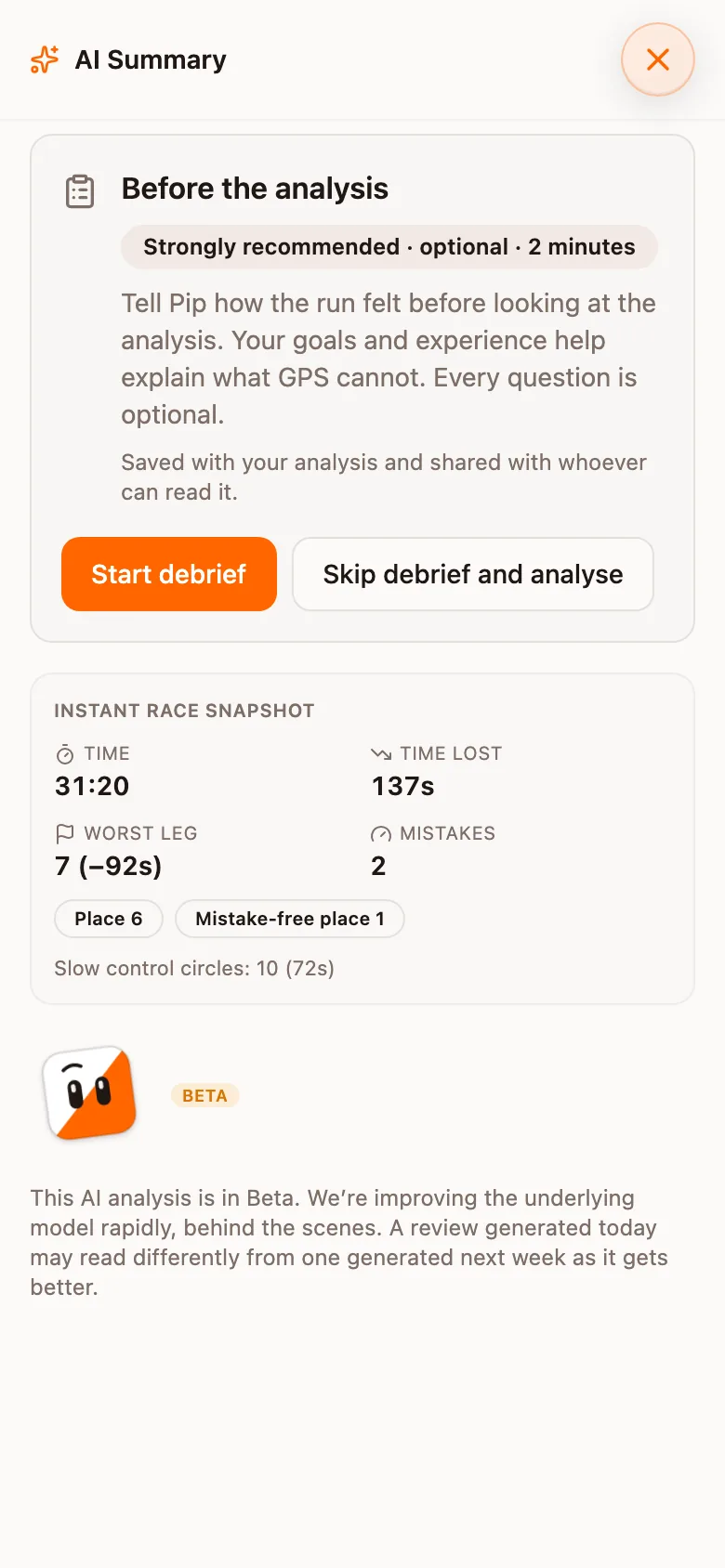
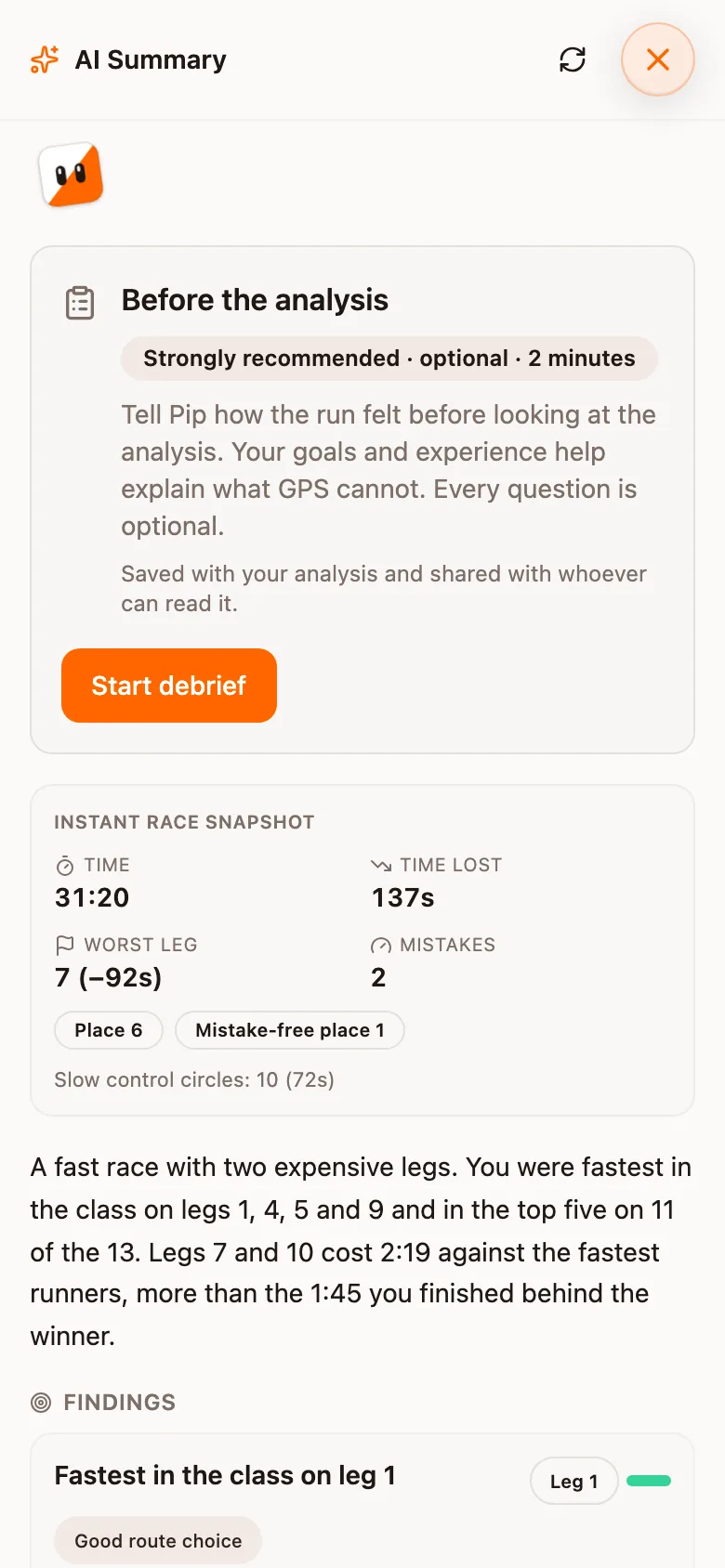
On the run screen, tap Open AI summary. The sheet is called AI Summary and starts with an Instant race snapshot: time, Time lost, Worst leg and the number of mistakes, computed before any model runs.
Step 2. Debrief, or skip it
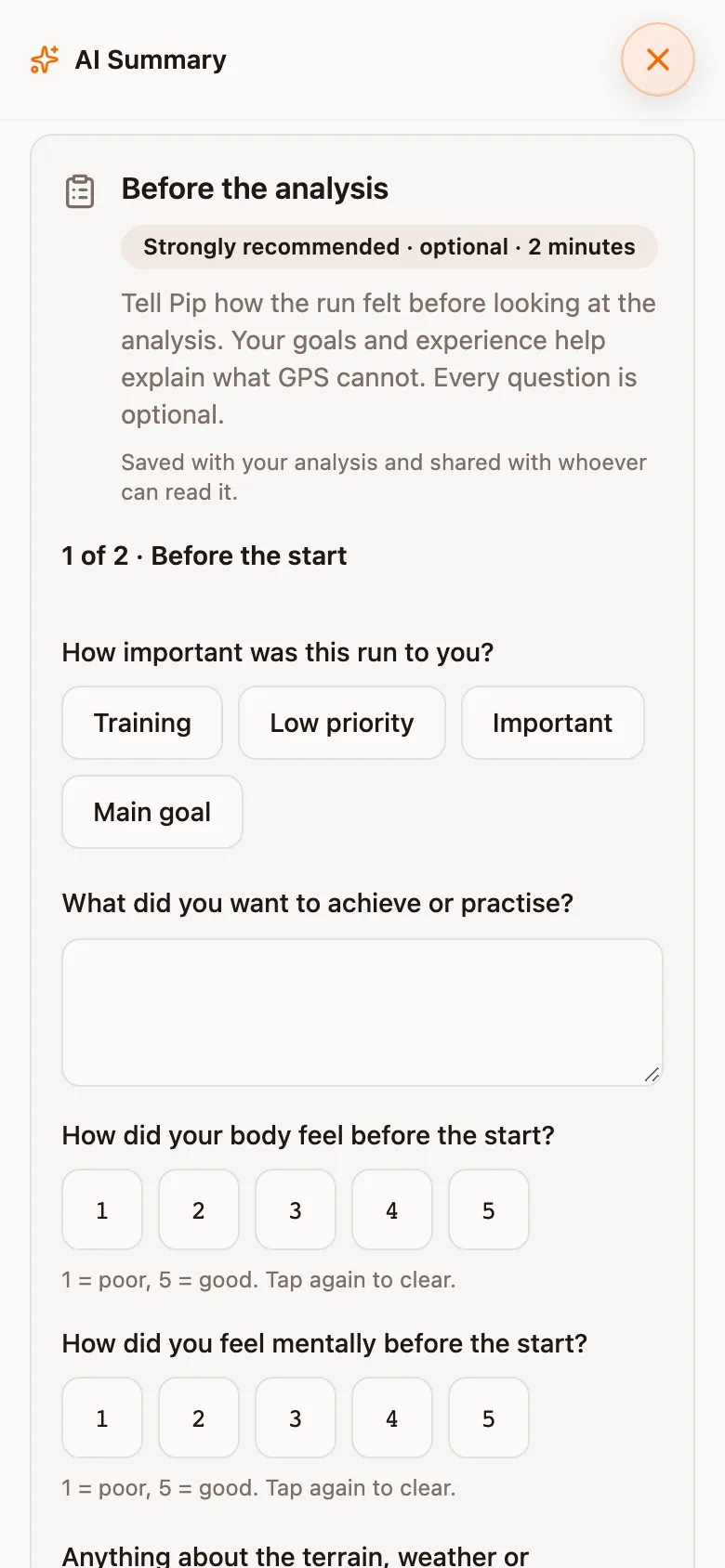
Before the analysis offers a debrief of about two minutes: how important the run was, what you wanted to practise, how your body and head felt before the start, and anything about terrain or weather. Tap Start debrief to answer, or Skip debrief and analyse. Every question is optional, and the answers are saved with the analysis and shared with whoever can read it.
Step 3. Read the findings
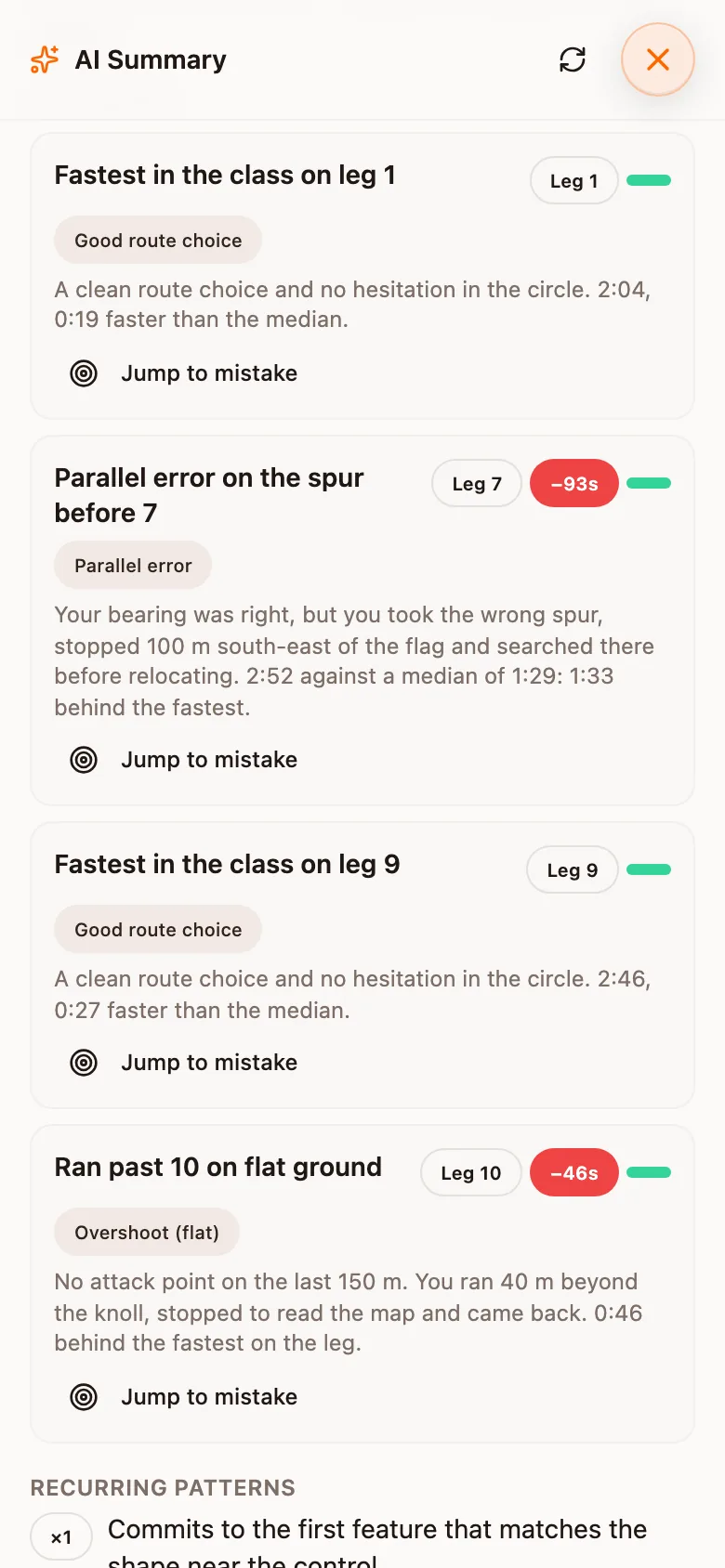
Each finding names a leg, one error from the fixed list, the seconds it cost and a sentence of evidence. Jump to mistake takes the map to the place. Good legs are listed too, as findings with no time against them.
Step 4. Finish with what went well and what to train
Below the findings the review lists Recurring patterns across your legs, then What went well, What hurt the race and a Training focus of drills. At the bottom, Ask Pip answers a question about any leg from your GPS, the splits and the field. The sheet is marked Beta.
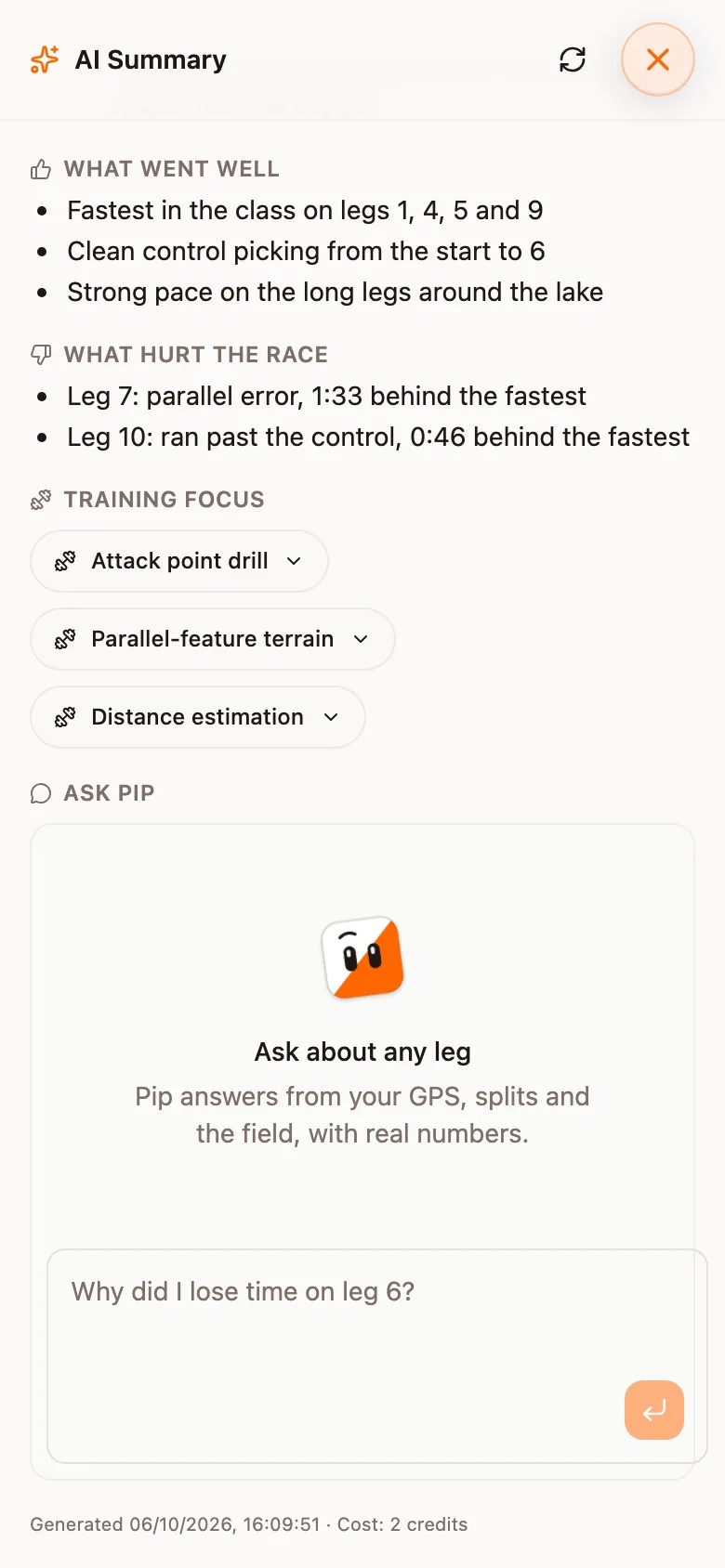
The photos show a made-up race
How a review is built
| Stage | What happens |
|---|---|
| Headline | Computed instantly, with no model involved at all: total time, number of mistakes, what they cost, the worst leg, and your place without them. |
| Leg analysis | The interesting legs are picked deterministically, then each one is analysed independently by its own small agent that calls tools for the numbers it needs. |
| Escalation | On the deepest tier, the worst few legs are re-run on a stronger model, because those are where a better model changes the answer rather than just the price. |
| Synthesis | One pass across every validated finding writes the overview you read first. |
| Chat | Follow-up questions reuse the same findings and the same tools, so answers stay tied to real numbers instead of re-inventing the analysis. |
The headline is not AI
The mistake count, the seconds lost and the worst leg are computed before any model runs. Where split times exist they come from the splits, measured against the field on the same course on the same day; the GPS mistake detector is the fallback for a run with no splits.
One source feeds both the headline and the review, so the two quote the same rows.
Which legs get analysed
Legs are scored on how likely they are to repay analysis (a detected mistake, seconds lost, speed drops, bearing error, a distance ratio well above 1, other runners overlapping your line), and the highest scorers are analysed. The number analysed is set by the tier.
Two rules sit on top of the scoring:
- Legs the splits classifier calls a mistake are analysed first. Every leg counted in the headline is a leg the review can discuss.
- Two slots are reserved for your best legs, one at the smallest tier, so a review has something positive to draw on whatever the scores look like.
What the coach can see
Each leg agent has a set of tools and has to use them; it is forbidden from computing or estimating a number itself.
| Tool | What it answers |
|---|---|
| Leg detail | Split, rank, control-ring time, detected mistakes, bearing profile, speed drops, terrain mix |
| GPS window | Speed, bearing, elevation and direction-change density inside part of a leg: where exactly you slowed, and how much you wandered |
| Heart rate window | HR against your baseline for the run, which distinguishes standing still and reading from running hard |
| Terrain window | Terrain distribution and terrain-adjusted pace for a leg or part of one |
| Compare leg route | Your leg against another runner's: where you diverged, where you rejoined, and the distance, climb, time and terrain deltas |
| Best route on leg | How your route choice compares to a better one, flagged as either what the fastest runners actually ran or a computed line nobody ran |
| Field context | Leg rank, time lost, field best and median, mistake level, fork status and alignment confidence, from the split times |
| Map around | Terrain and features near a point: path, green and open ground, and how cluttered the surroundings are. Attack points and parallel features. |
Tools refuse comparisons they cannot make
The error taxonomy
The coach classifies from a fixed list of nineteen orienteering error types and cannot invent one; free text explains a classification rather than introducing one. The list uses the sport's own vocabulary (parallellfel, kontrakurs, dålig utgångsriktning, följdbom, stigmiss, ingen sista säkra, dålig kartkontakt, hänga på and so on), plus two positive classifications, for a good route choice and a clean control approach.
A finding also has to cite at least one piece of evidence a tool returned; one without evidence is discarded rather than shown.
Depth tiers
One setting in your profile defaults controls how deeply a race is analysed. It changes how many legs are looked at and which models do the work.
| Tier | Legs analysed | What it is for |
|---|---|---|
| Quick | 4 | A Tuesday training, or a first look. Fastest and cheapest. |
| Standard | 8 | The default, and the right answer for nearly every race. |
| Deep | up to 24 | A championship race you intend to pick apart. Every leg, with the strongest model re-run on the worst few. |
On the deep tier every leg is analysed normally and the worst three are re-run on a stronger model, chosen by the same score that selected the legs.
When Deep is worth it
Getting a better review
Describe the race before you analyse
Nothing else you do has a larger effect on the result.
A run imported from Intervals.icu carries its title and description into the review as first-hand testimony, which the coach is instructed to weigh and quote from. Both fields are read: "Bommade 4:an rejält" states the mistake and where it happened before any GPS analysis runs.
The tools can see that you slowed for ninety seconds on leg 4 and wandered while doing it. They cannot see whether you were relocating, following someone, or simply empty. A couple of sentences supply that.
What to write, in the language the review is in:
- Where you think you went wrong, and what you were doing when it happened
- How you felt physically (a leg that was slow because you were empty is not a mistake)
- Whether you were following someone, and where you stopped
- Anything the GPS cannot show: a wrong compass bearing you noticed, a control you doubted, a route you rejected and why
Testimony is weighed, not cited as evidence
Make sure the split times are in
By default the review is held until the event has split times, so its first run sees the whole field. A review that has not appeared usually means the organiser has not uploaded the results file. See Uploading an event.
Let other runners' tracks load
Route comparison needs somebody to compare against. Runs marked GPS only are available for comparison even though their owner's analysis is not. With no shared tracks in the class, the coach falls back to a computed optimal line, which it describes as a line nobody ran.
Wear a heart-rate monitor
Heart rate separates standing still and reading the map from running hard uphill, which show the same pace drop. Without it the coach can see that you slowed but not why.
Annotate the review afterwards
You can write notes on a finished review: an overall note and one per mistake. Recurring themes across your recent reviews and annotations are fed back as long-term context, so the coach can refer to patterns across races rather than treating each one as the first.
How it writes
The coach is instructed to write in short sentences, with at most one number per explanation and no mention of tools, taxonomy ids, confidence values, bearings in degrees or distance ratios: "You drifted left coming out of 4 and lost about 40 seconds", not "bearing error of 23.4 degrees over the first third with a distance ratio of 1.31".
Reviews are written in the app's language: English, Swedish, French or German.
| Setting | Default | Description |
|---|---|---|
| AI coach depth | Standard | Quick, Standard or Deep. Set in your profile defaults. |
| Coach memory | On | Recurring weaknesses and training focus drawn from your recent reviews and annotations. Viewable, and clearable, from the same profile page. |
| Wait for split times before the AI review | On | Per event, set by the organiser. Uncheck for a training run that will never have a results list. |
Plan